Keep the
tempo
Tasks, Calendar, Mail and Notes in one keyboard-first app. Fast enough that the list never gets ahead of you.
- Web and desktop, iPhone soon
- Google Calendar and Gmail soon
- Keyboard first
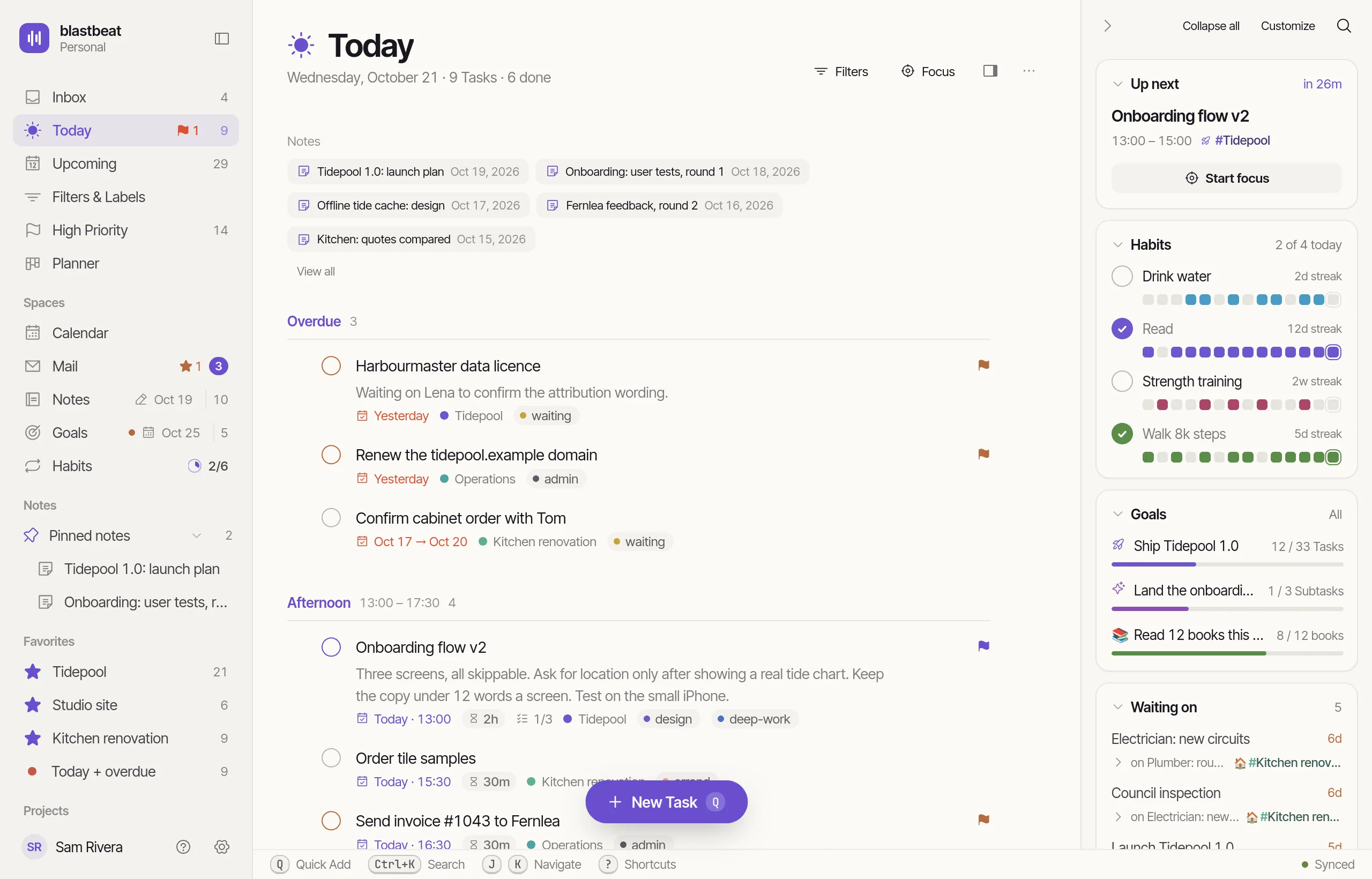
The whole day on one screen.
Today groups your Tasks by time of day. Beside them sit your next Event, your Habits and your Goals, and the keys worth knowing run along the bottom. Hover a number.
Thirty seconds, start to done.
Add a Task, check one off, jump with ⌘K, switch Layouts, drag a Task. Pause the film, drag the slider or skip to a chapter.
A scripted tour of blastbeat. A Task is added with Quick add from a typed sentence, another is checked off, the Command palette jumps to the Studio Project, the Layout switches from List to Board, and a Task is dragged between Sections.
Type it the way you’d say it.
Press Q anywhere. Dates, times, Priority, Project and Labels come out of the sentence as you type. The title is whatever’s left.
- Title
- Call dentist
- Due
- Fri · 10:00 (2026-10-16)
- Priority
- High (P2)
- Project
- Home
- Labels
- None
- Due a date or a time
- Priority p1 to p4, or !
- Project #Name
- Label @name
The demo runs the same parser as the app. Its clock is fixed at Wednesday, 2026-10-14, and its Projects are Launch, Home, Garden, Reading list and Labels are errands, waiting, deep work.
One list. Five ways to look at it.
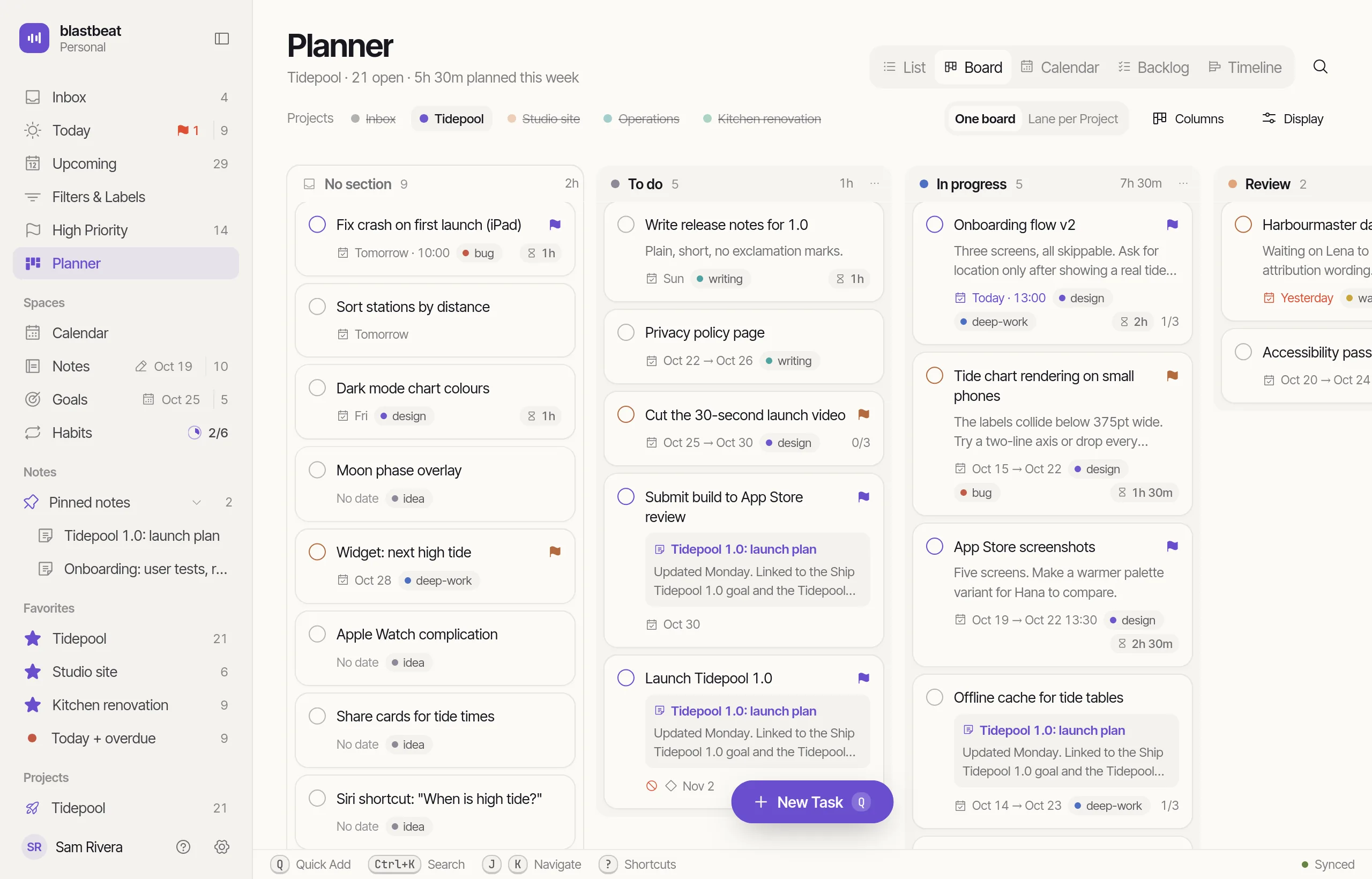
Every Project has a List, Board, Calendar, Backlog and Timeline, and the Planner shows them across Projects. Nothing is copied; it’s the same nine Tasks, moving.
The same nine Tasks laid out as a List, a Board, a Calendar, a Backlog and a Timeline. Pick a Layout to see them move.
Sections and Subtasks. The default for a reason.
Six parts, one app.
Each one has its own page with the full feature list and real screenshots.
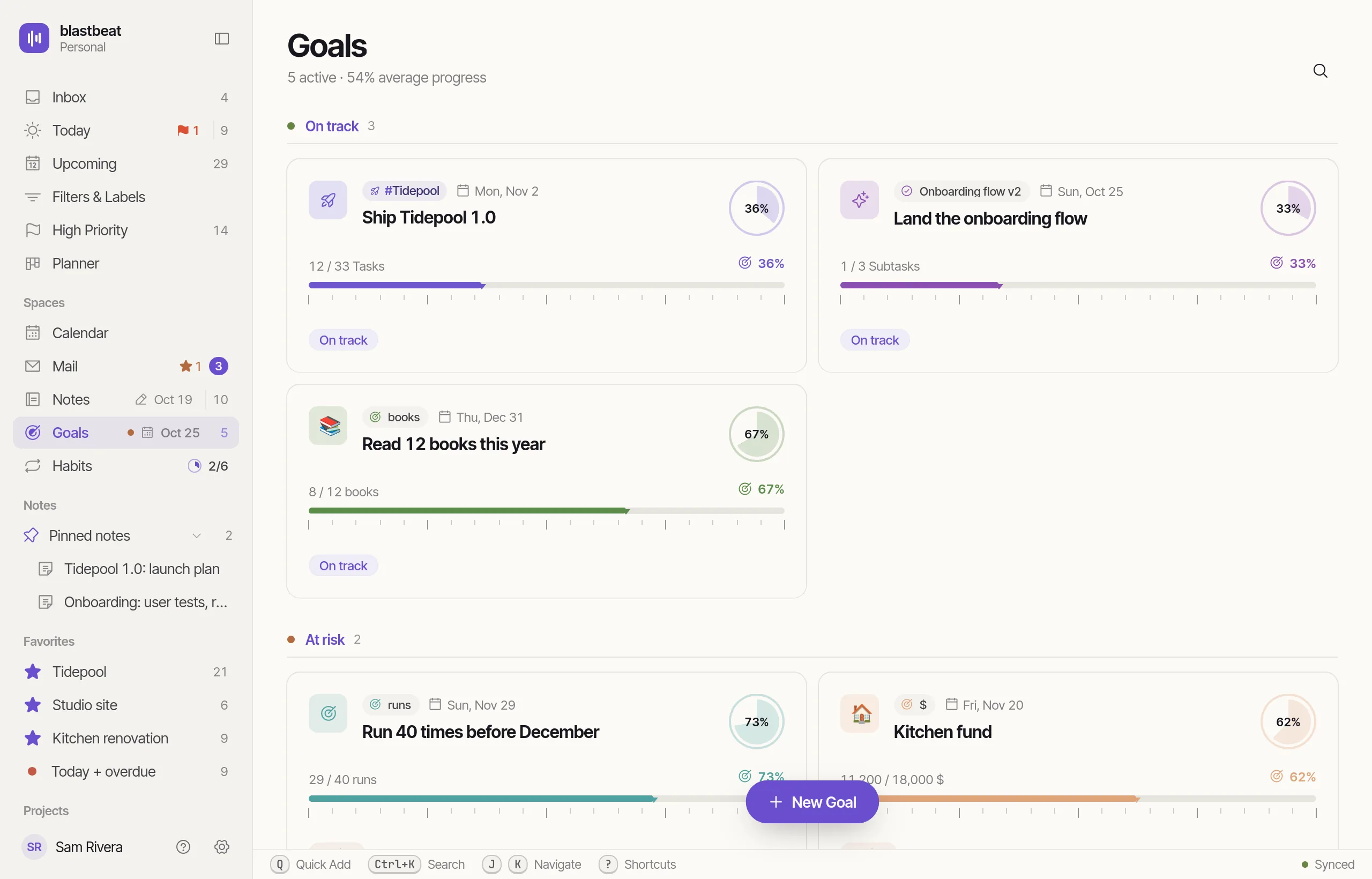
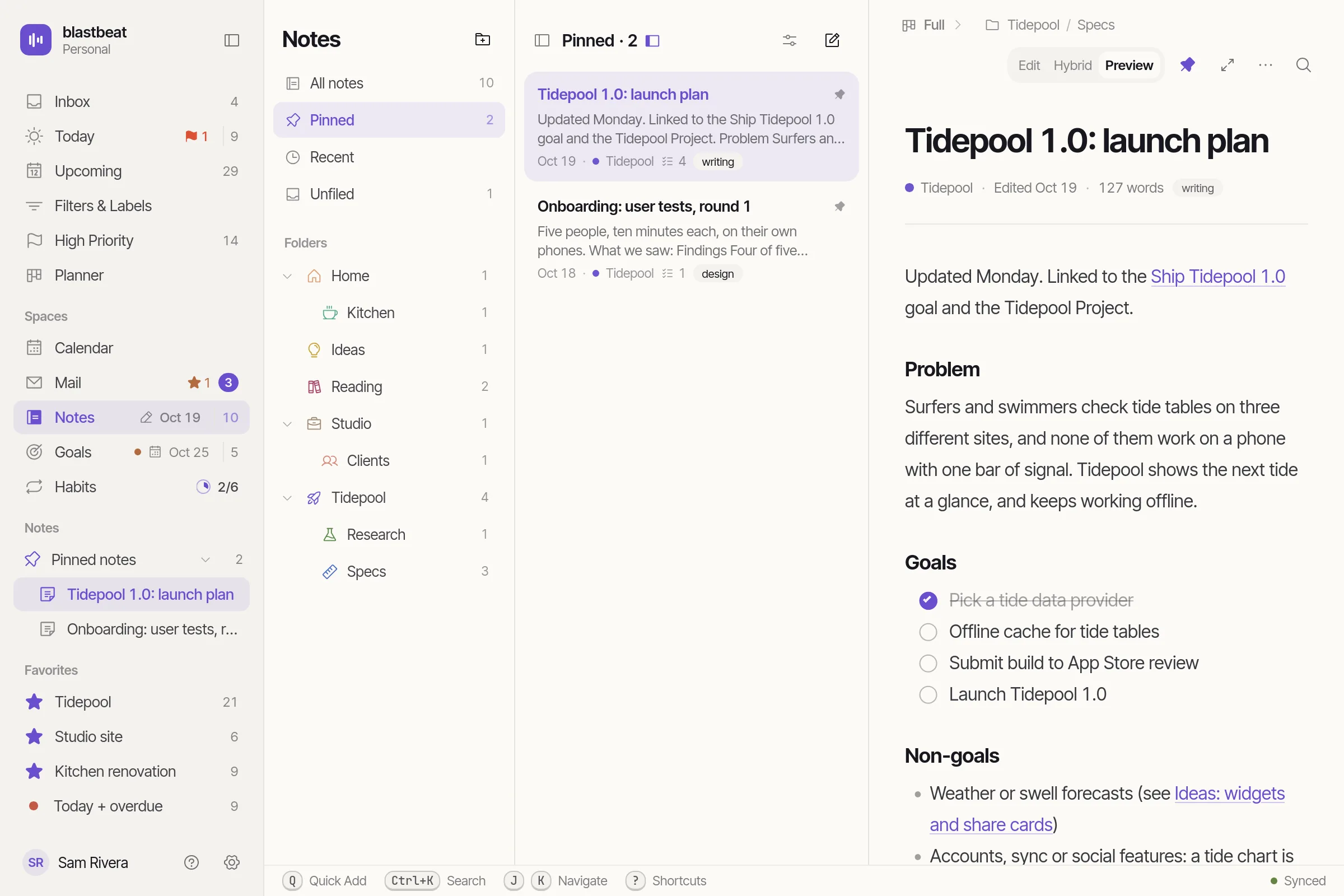
Your hands stay on the keys.
Mail, Calendar and Notes. Same keys.
Notes sit next to the Tasks they describe instead of in another app. Connecting your Google account, to bring your Events and Mail beside your Tasks, is coming soon.
Triage Gmail without leaving the list.
J and K to move. T turns a Thread into a Task, N into a Note, E archives it. The Thread keeps a link to what you made.
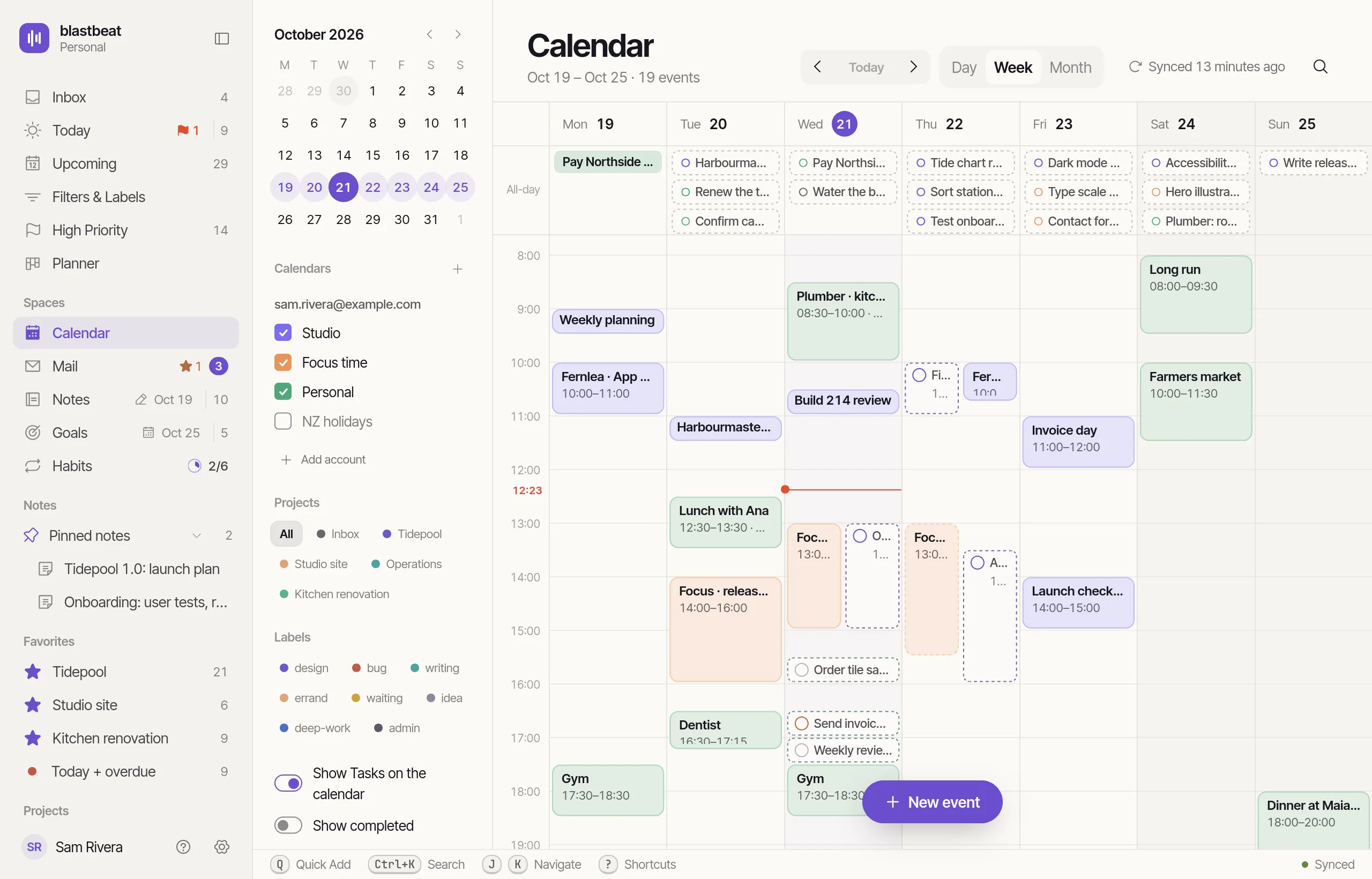
Drop Tasks on the week.
Google Calendar Events with your Tasks laid over them. Give a Task a Due time and a Duration and it blocks the time.
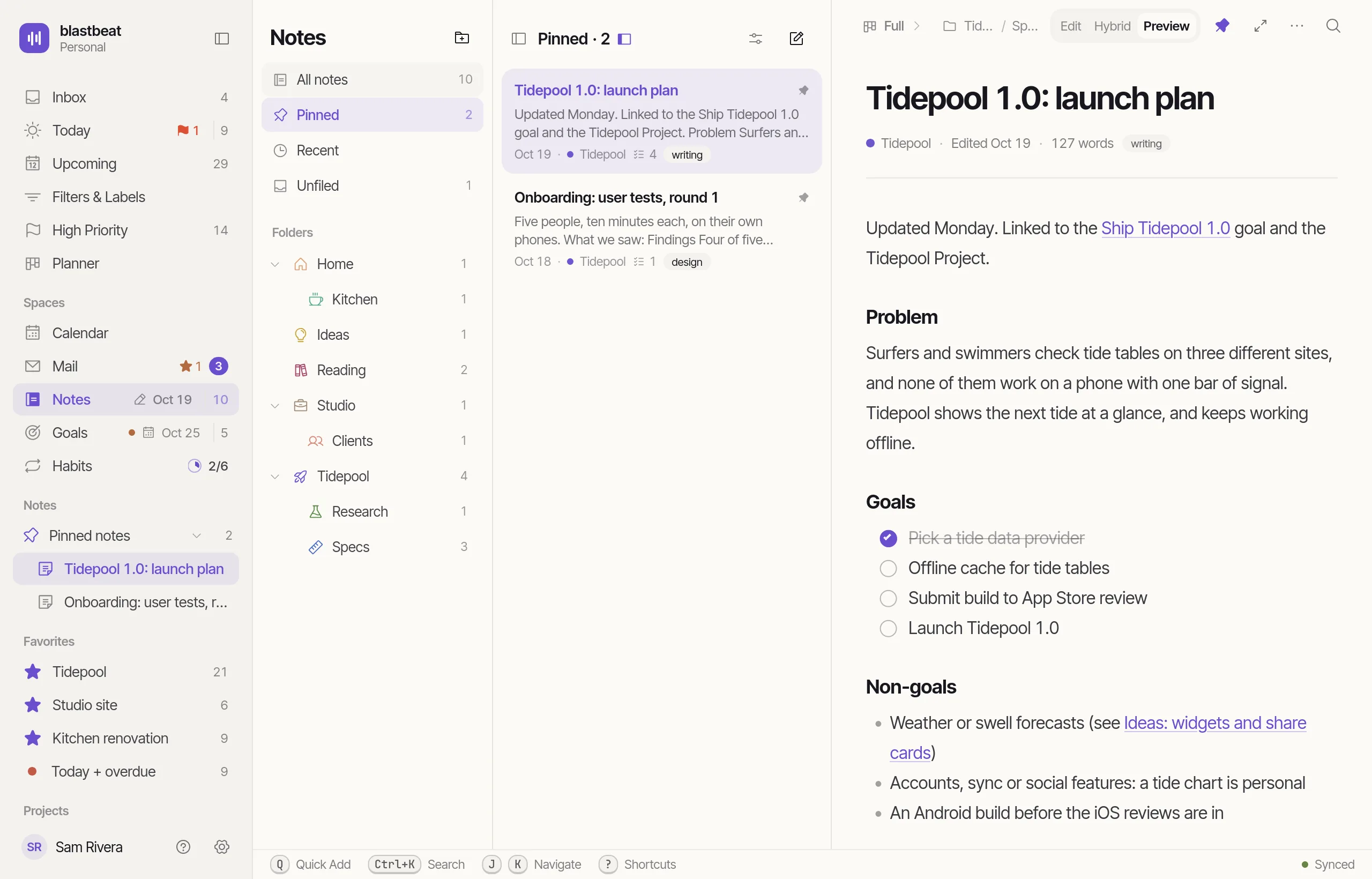
Notes that turn into work.
Markdown that renders as you type. A checklist line becomes a real Task, linked both ways.
Outcomes, and the Habits under them.
A Goal follows a Task, a Project or a number, and its progress comes from the work. A Habit is a ring you close once a day. Go on, click one.
Web and desktop, with iPhone coming soon.
One account, every device: a change on one shows up on the others.
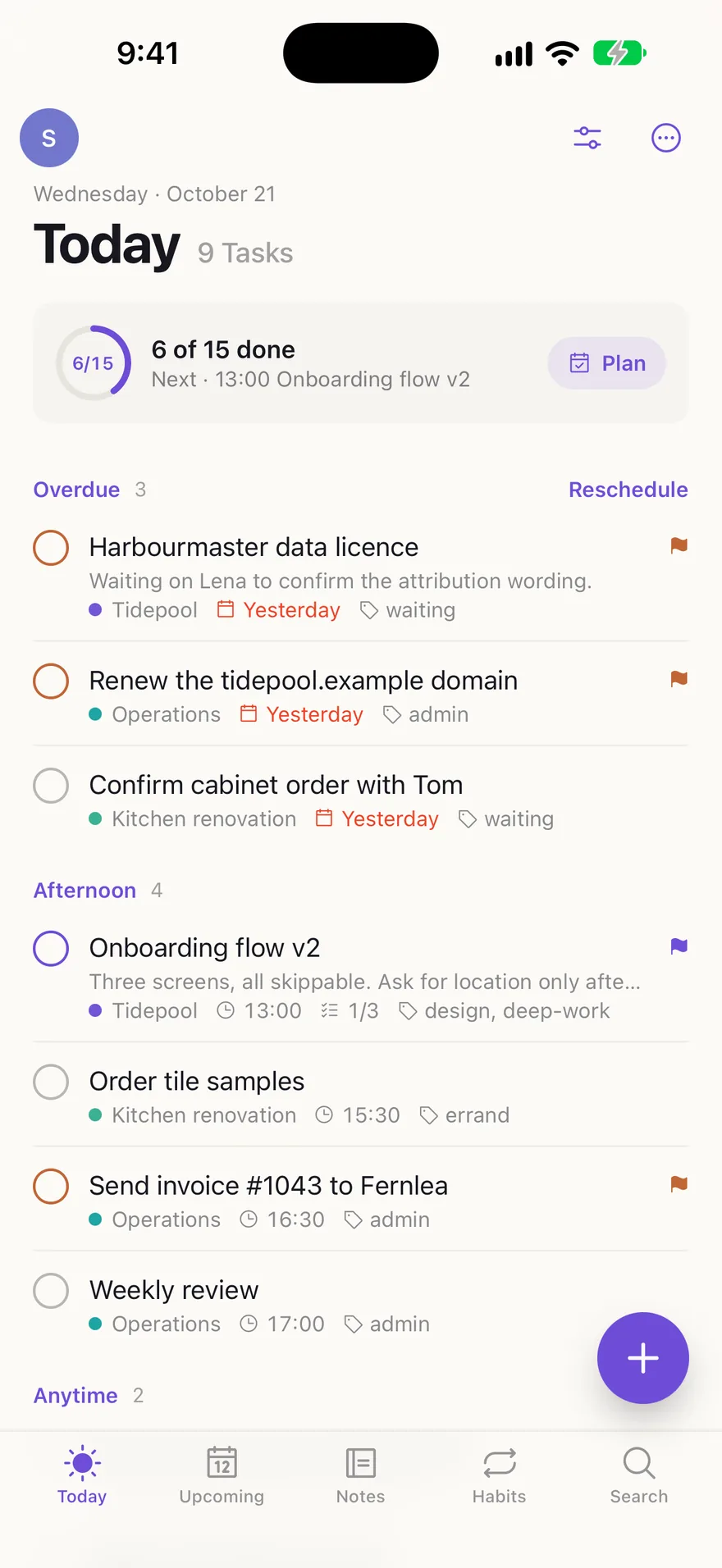
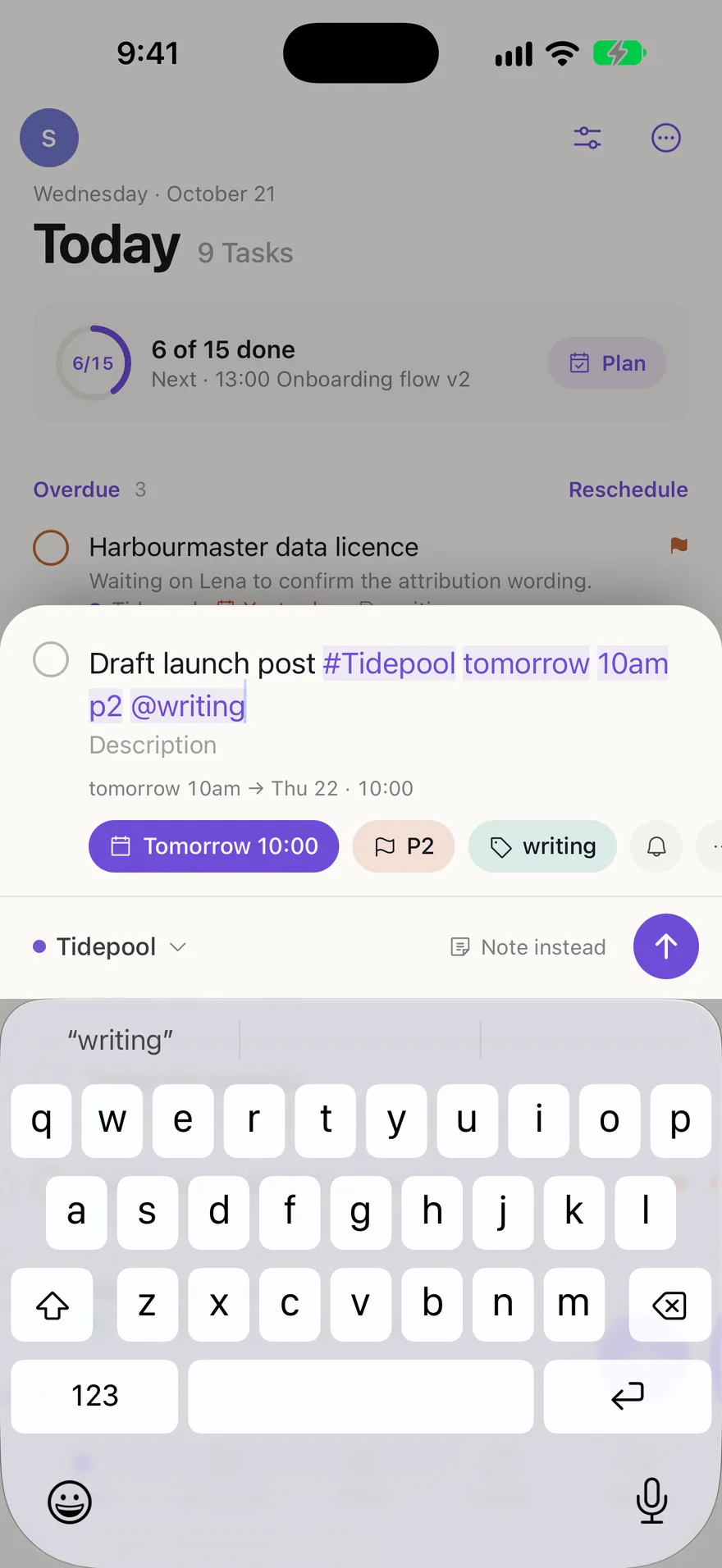
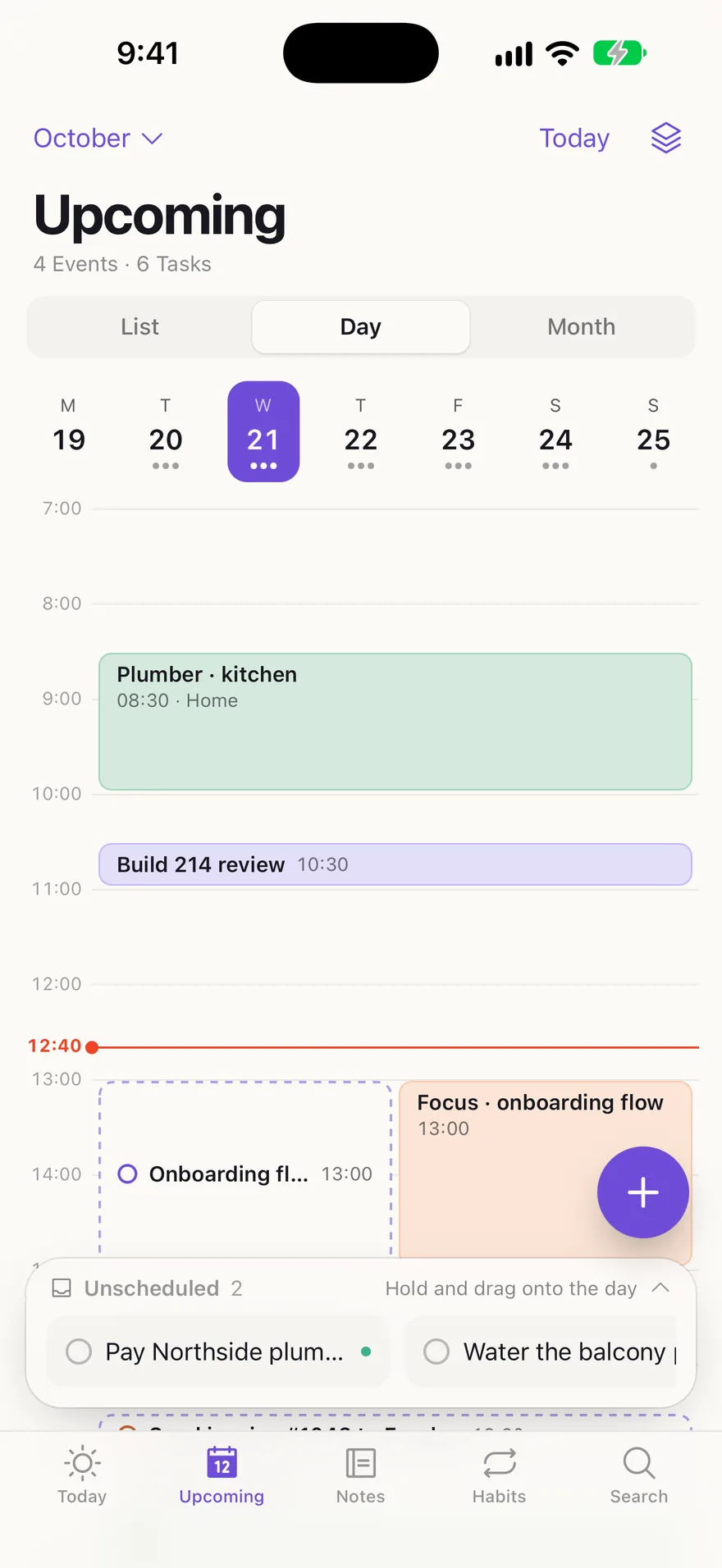
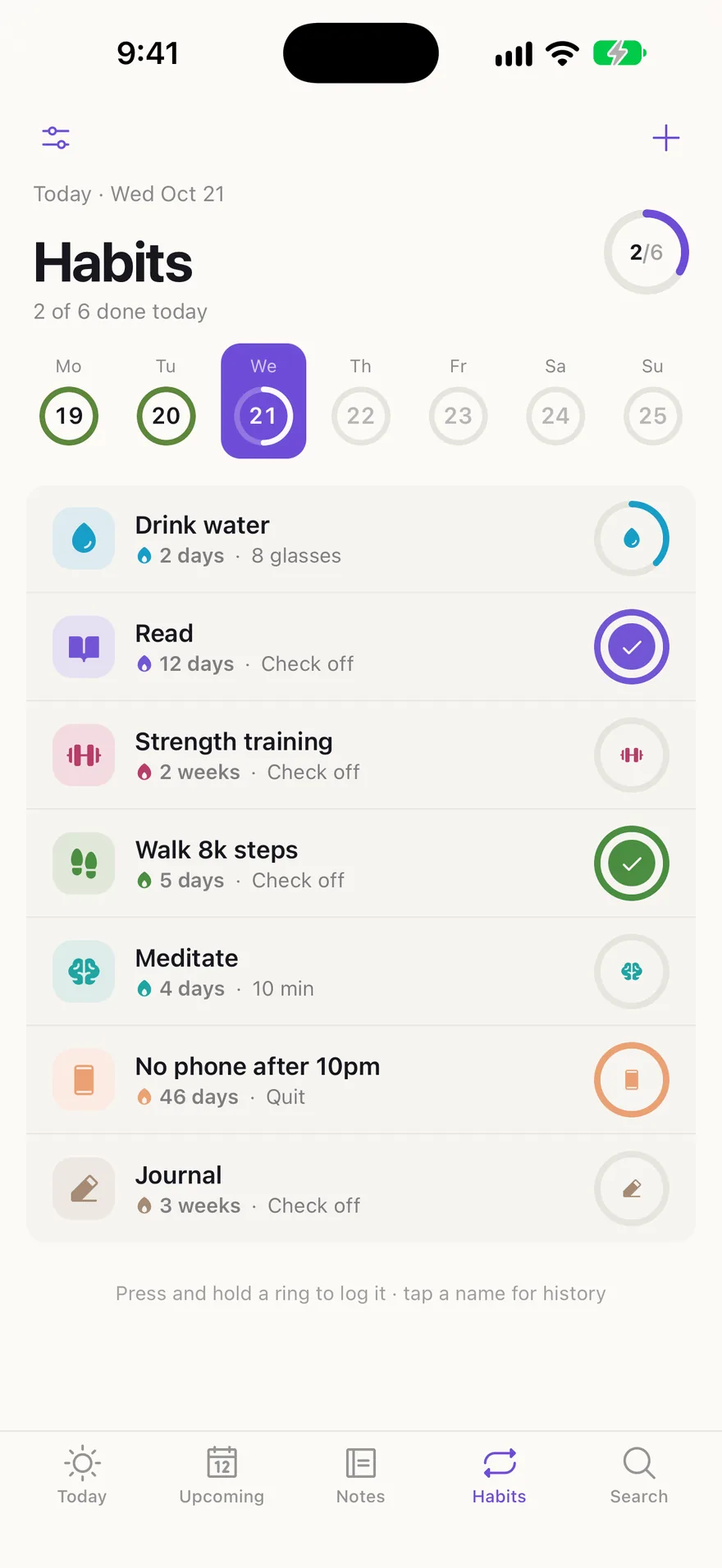
iPhone
Coming soon: Today, Upcoming, Notes and Habits, with Widgets and Reminders.iPhone is coming soonBeyond the app.
An iPhone app, your Google account, AI, an API for your own scripts, and a server of your own.
Today, Upcoming, Notes and Habits under your thumb, with Widgets and Reminders.
Events beside your Tasks, and a Thread made into a Task or a Note with one key.
Search and sort your Tasks and Notes with the AI provider you choose, and only when you ask.
Everything the app does, through a documented API, with tokens you make and revoke yourself.
Run your own Instance with Docker Compose: its own accounts, its own Admin, its data in one volume.
A tool, not a coach.
Nothing keeps score.
Finishing a Task checks it off and moves on. There are no badges and no leaderboards, and the small flourish on the check turns down in Settings › Appearance.
Nothing nags.
A Reminder goes off once, before a Task is Due, and then it stops. Emails stay off until you turn them on, and Overdue is a section of Today, not a siren.
Nothing is mouse-only.
Anything you do often has a key, the Command palette runs the rest, and the ? sheet lists them all.
Clear the list.
Sign up, press Q and add the first Task.